Publish Your Poetry Book
Turn Your Poetry into a Beautiful Published Book Where You Keep All The Royalties
The PoetrySoup Publishing Center is almost here, and it will guide you through every step of creating a print book or eBook that you can sell on Amazon and other retailers. Whether you're publishing your very first collection or your tenth, the Publishing Center removes the technical barriers so you can focus on what matters most, your poetry.
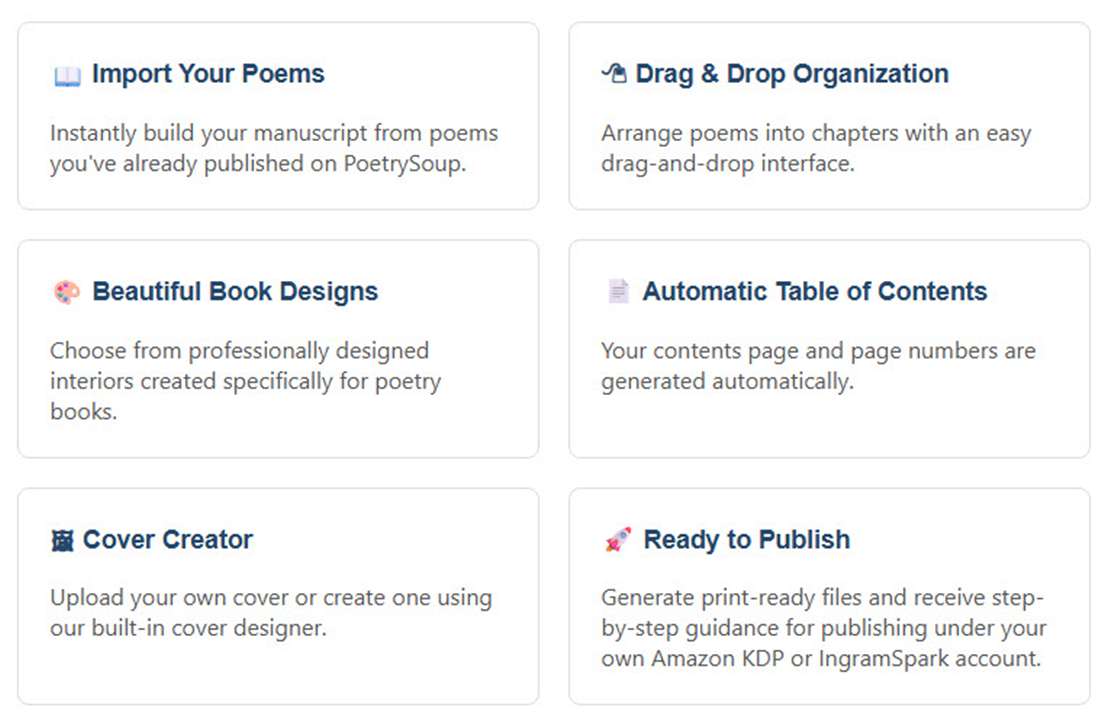
With just a few clicks, you can organize your poems, design your book, create a professional cover, generate print-ready files, and publish under your own Amazon KDP or IngramSpark account. Your royalties remain yours.
- No complicated publishing software.
- No formatting headaches.
- No graphic design experience required.
Just your poetry, beautifully published.
Built Specifically for PoetrySoup Poets
Unlike generic word processors or publishing software, the PoetrySoup Publishing Center understands poetry.
Your poems already live on PoetrySoup. Instead of copying and pasting hundreds of poems into another program, simply select your poems that are already on PoetrySoup that you want to include and begin building your collection.
The Publishing Center preserves your poetry while helping you produce a professional-quality book suitable for worldwide distribution.
The Publishing Workflow
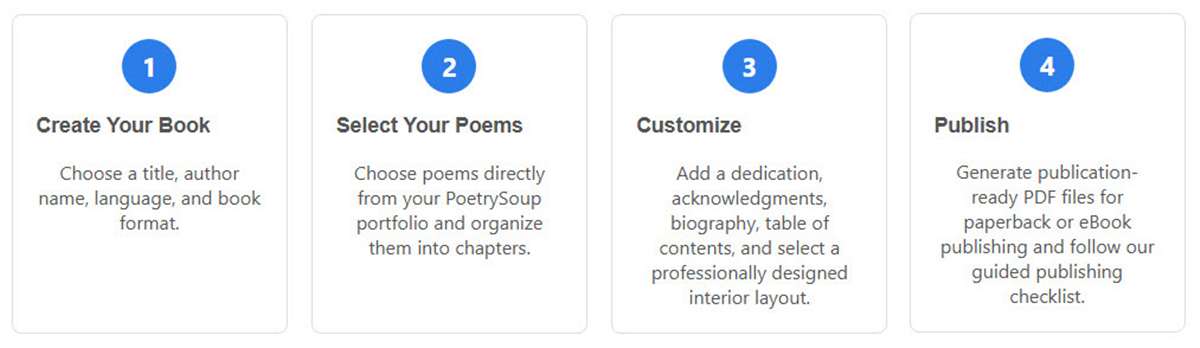
Creating your poetry collection is simple.
1. Start a New Book
Create your publishing project by entering your book title, subtitle, author name, pen name, language, and choosing whether you're publishing:
• Paperback
• eBook
• Hardcover (coming soon)
2. Choose Your Poems
Browse your PoetrySoup poems and instantly add them to your book.
Search by title or keyword, select individual poems or entire collections, and build your manuscript without retyping a single line.
3. Organize Poems and Chapters
Drag and drop poems into the perfect order.
Create chapters such as:
- Nature
- Love
- Faith
- Family
- Seasons
- Reflections
Move poems between chapters with simple drag-and-drop editing while the Publishing Center automatically saves your work.
4. Add Front Matter
Professional books include more than poems.
Add:
- Copyright page
- Dedication
- Epigraph
- Preface
- Acknowledgments
- About the Author
- Author website
Choose only the sections you want to include.
5. Design Your Interior
Select a professionally designed interior that follows publishing standards.
Customize:
- Industry-standard trim size
- Fonts
- Font sizes
- Line spacing
- Chapter styles
- Table of contents
- Poetry formatting
- Page breaks
- Print or eBook layouts
Preview your book before generating final files.
6. Create Your Cover
Design a professional cover directly inside PoetrySoup.
Choose from multiple options:
- Upload a finished cover
- Upload your own artwork
- Use the PoetrySoup Cover Designer
- AI-generated covers (coming soon)
Customize:
- Fonts
- Colors
- Alignment
- Backgrounds
- Artwork placement
- Title positioning
- Author positioning
Generate separate covers for print and eBook editions.
7. Preview Your Book
Before publishing, preview your entire project.
Review:
- Front matter
- Table of contents
- Chapters
- Poetry formatting
- Typography
- Cover design
Make changes at any time before generating your final files.
8. Generate Publishing Files
With one click, generate professional publishing files including:
- Print-ready interior PDF
- Paperback cover PDF
- eBook cover
- EPUB eBook
- Publishing package
- Amazon KDP files
- IngramSpark files
Every file is created according to current publishing specifications.
9. Publish with Confidence
The Publishing Center doesn't publish under our account.
Instead, we prepare everything so you can publish under your own Amazon KDP or IngramSpark account, giving you complete ownership of your book, your ISBN choices, your royalties, and your publishing history.
A built-in publishing checklist walks you through each step so nothing is overlooked.
Professional Features
The PoetrySoup Publishing Center includes professional publishing tools typically found only in expensive desktop publishing software.
Features include:
- Unlimited revisions
- Drag-and-drop organization
- Automatic chapter management
- Professional typography
- Poetry-aware formatting
- Automatic table of contents
- Front matter creation
- Cover designer
- Print preview
- eBook preview
- PDF generation
- EPUB generation
- Amazon KDP support
- IngramSpark support
- Publishing checklist
- Automatic file management
Built for Every Poet
Whether you're publishing:
- Your first chapbook
- A themed poetry collection
- A complete works anthology
- A family keepsake
- A contest-winning collection
- A devotional
- A children's poetry book
…the PoetrySoup Publishing Center helps transform your poems into a beautiful book ready for readers around the world.
Publish the Book Your Poetry Deserves
Start building your poetry book today and take the next step from poet to published author with the PoetrySoup Publishing Center.